Merryah: A Playful Script Font for Web Design
When you build a website or a digital product, every typographic choice shapes how visitors perceive your brand. A display font sets the emotional tone before a single word is read. Merryah, a script font from Script Amp, delivers that first impression with personality and clarity. Its characters feel lively without sacrificing legibility, making it a strong candidate for headers, hero sections, and brand-forward layouts. For web designers and digital creators who want to inject warmth and character into their projects, Merryah offers a balanced mix of playfulness and practical readability.
What Makes Merryah Stand Out in Digital Design
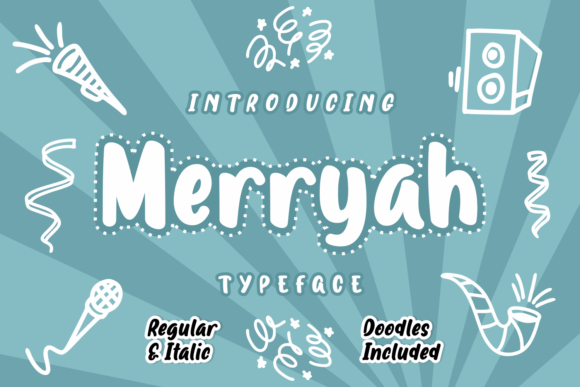
Merryah is a handwritten-style script font that walks the line between decorative and functional. Its strokes are fluid but not overly ornate, which means they read well on screens of all sizes. The letterforms have a natural bounce that avoids looking rigid, yet they maintain enough consistency to support visual hierarchy. This duality makes Merryah useful for more than just decorative accents. It can anchor a brand identity or highlight a call-to-action without confusing the user. The font includes two versions: regular and italic. That small family gives you flexibility to differentiate primary headings from secondary headlines or to add emphasis in short phrases without switching to a completely different typeface.
From a web design perspective, Merryah fits into the modern script font category, but it avoids the common pitfalls of low readability. The open counters and distinct letter shapes help it perform well in digital contexts where clarity matters. Whether you are designing a boutique online store, a creative portfolio, or a coaching website, Merryah brings a human touch that feels approachable and crafted.
Using Merryah in Headers, Hero Sections, and Call-to-Action Areas
In digital design, the most visible place for a display font is the hero section. This is where users form their first opinion of your site. Merryah works well in hero titles because its playful feel grabs attention without overwhelming the layout. When paired with a clean sans serif font for the supporting text, Merryah creates contrast that guides the eye naturally from the headline to the subheadline and then to the button. For a product landing page, using Merryah in the main heading can communicate creativity and warmth, while a simple sans serif keeps the body copy clean and scannable.
Call-to-action areas also benefit from Merryah’s personality. A short phrase like “Get Started” or “Join the Club” set in the italic version feels inviting and personal. However, because script fonts can be harder to read at small sizes, reserve Merryah for larger CTA buttons or for the headline above the button rather than the button label itself. Keeping the button text in a legible sans serif ensures that users can act quickly without hesitation.
For online shop banners and promotional headers, Merryah adds a handmade quality that suits lifestyle brands, craft stores, or creative marketplaces. It can also work in blog graphics, especially for post titles or pull quotes where you want to break away from the body font and create visual rhythm.
Readability and Responsive Design Considerations
Any font you choose for the web must perform on mobile screens. Merryah’s letterforms are generally readable at medium to large sizes, but like many script fonts, it loses clarity below a certain threshold. For mobile layouts, use Merryah primarily for headings above 24 pixels. Avoid using it for body text, navigation labels, or small buttons. The regular version tends to read slightly better at smaller sizes than the italic, so if you need to use Merryah in a secondary heading on a small screen, opt for the regular cut.
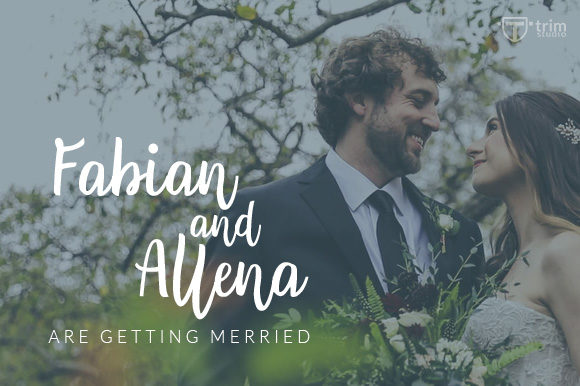
When placing Merryah over images, consider contrast carefully. Light backgrounds with dark text work best. If you overlay Merryah on a photo, add a subtle shadow or a semi-transparent background behind the text to maintain readability. Dark backgrounds with light Merryah text can also work, but test the combination on several devices to ensure the strokes remain distinct. The goal is to keep the font’s playful character visible without forcing users to squint.
Font Pairing: Combining Merryah with Sans Serif and Serif Fonts
A strong digital identity rarely relies on a single typeface. Merryah shines when paired with a complementary font that handles the heavy lifting of body copy, captions, and interface labels. A clean sans serif font is the most straightforward partner. Sans serifs like Inter, Montserrat, or Open Sans provide neutral contrast that lets Merryah take center stage in headings while keeping the reading experience frictionless. For a more editorial or sophisticated identity, a serif font such as Merriweather or Playfair Display can add depth when used for subheadings or featured quotes, with Merryah reserved for the primary headline or logo text.
If you are designing a brand kit for a client, offer pairing guidelines that specify Merryah for display purposes only, paired with a sans serif for all UI text. This keeps the brand expressive without sacrificing usability. For landing pages, try using Merryah in the hero headline, a sans serif for the body, and maybe a serif for the testimonial pull quotes. That three-font palette can feel rich and intentional when each style has a clear role.
Practical Applications for Web Designers and Digital Creators
Merryah suits a range of digital projects beyond traditional websites. Here are a few scenarios where it performs well:
- Creative portfolio sites: Use Merryah in your name or tagline at the top of the page. It instantly signals a design-focused, personal brand.
- Boutique online stores: Product category headings or sale banners set in Merryah add a handcrafted feel that matches small-batch or artisanal products.
- Coaching or course sales pages: A warm, approachable script in the headline can build trust before the visitor reads a single sentence of body copy.
- Digital ads and social media graphics: Merryah works well in short, punchy ad headlines where you need to stop the scroll. Keep the text large and the background simple.
- Branded email headers and landing page templates: Consistent use of Merryah across touchpoints reinforces brand recognition, especially when paired with the same supporting sans serif.
Because Merryah includes both regular and italic styles, you can create subtle hierarchy within headings. Use the regular for the main title and italic for a subheading or a tagline. This keeps the typography cohesive while offering visual interest.
What About Alternates, Webfont Formats, and Multilingual Support
When integrating any premium font into a web project, check the file formats available. Merryah should come with web-optimized formats such as WOFF and WOFF2, which are essential for fast loading and consistent rendering across browsers. If you are using a platform like Webflow, Squarespace, or WordPress, you can upload the font files directly or link to them via a @font-face rule. Some script fonts include stylistic alternates or swashes that add flair, but verify whether Merryah offers these extras if you plan to use them in logo text or decorative accents. For multilingual projects, confirm the character set coverage. Script fonts sometimes have limited support for special characters or diacritics, so review the glyph set if your content includes multiple languages.
Licensing Notes for Commercial and Client Projects
Before you use Merryah in a live website, online store, or client deliverable, review the commercial licensing terms from Script Amp. Most premium fonts require a separate license for web use, desktop use, or embedding in digital templates. If you are building a site for a client, ensure the license covers the number of page views or the specific usage context. For brand assets like logos or social media templates, desktop licensing usually suffices, but web licensing is necessary for any text rendered via @font-face on a public site. Always keep a copy of the license file with your project files, and educate your clients on their responsibilities if they plan to modify or extend the usage. Proper licensing protects your work and respects the font creator’s rights.
Merryah offers web designers a script font that balances personality with performance. Its playful character can elevate brand tone, while its readable letterforms keep digital experiences user-friendly. Whether you use it in hero sections, product banners, or brand headlines, Merryah brings a crafted feel to modern typography. Pair it with a simple sans serif, test it on mobile, and secure the right license for your project. That approach ensures your typography supports both creative expression and practical usability.